Home › Features › Season alerts
Before you start
- Season alerts are part of Pro. On a free account the Season alerts button opens the upgrade screen, where the yearly plan shows its free-trial offer if you're eligible for one.
- You need at least one saved spot. Alerts are about the places you've pinned, not your general area.
- Notifications must be allowed for Mushroom Tracker in your phone's settings.
- Update to the latest version of the app first (2.3.0 or newer).
Open Mushroom Tracker Opens the app if it's installed, otherwise the store page. Then follow step 2 below.
Setup in five steps
1 Save a spot
Drop a pin on the map at a place you forage or plan to. Alerts read the conditions at that exact spot, so the more places you've saved, the more of your patches are being watched.
2 Open the Season alerts card
Tap the Me tab (the person icon, bottom right). The Season alerts card sits below your subscription card. You can also reach it from Settings → Preferences.
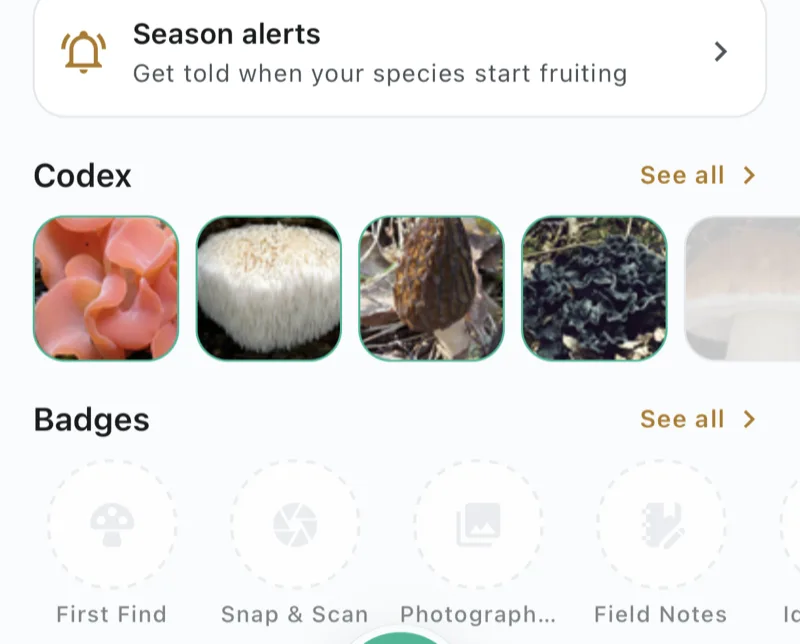
3 Switch alerts on
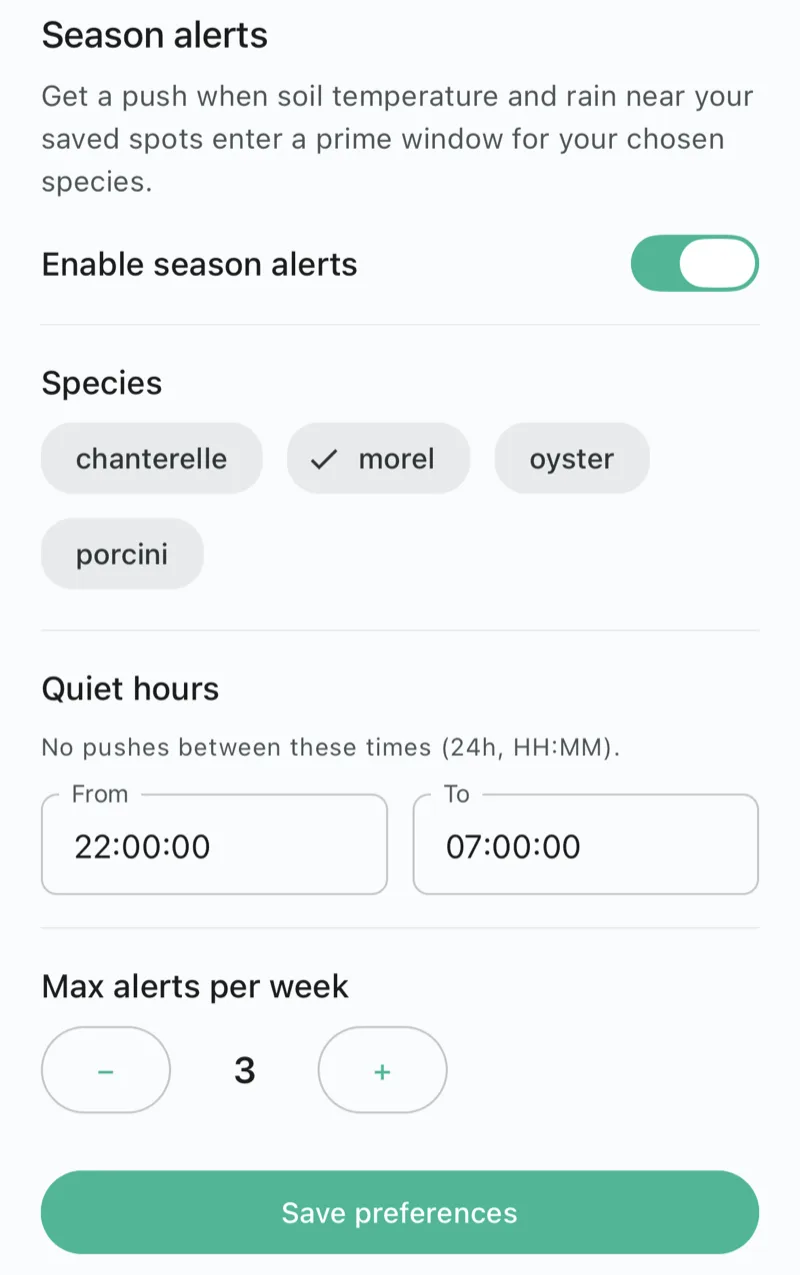
Flip Enable season alerts. If the app asks to send notifications, allow it. Without that, alerts have nowhere to arrive.
4 Choose your species
Tap the species you want to hear about. Right now you can choose chanterelle, morel, oyster and porcini. Pick only what you actually hunt, since every species you add is another set of possible alerts.
5 Set quiet hours and a weekly cap, then save
Quiet hours hold notifications overnight. Max alerts per week is a ceiling you control, using the − and + buttons. Then tap Save preferences. Your choices aren't stored until you do.
What happens next
Once a day the app's servers check recent rainfall and soil temperature at each of your saved spots and compare them with the window that species tends to fruit in. When a spot crosses into that window, you get a notification naming the spot. It follows the weather, not the calendar, so it can arrive earlier or later than the date you'd expect, and some weeks nothing will arrive at all.
Questions
Do season alerts work on the free plan?
No. Season alerts are part of Pro. On a free account, tapping Season alerts opens the upgrade screen instead of the settings. The yearly plan shows its free-trial offer there if you're eligible for one.
I turned alerts on but nothing has arrived. Is it broken?
Probably not. An alert only fires when conditions at one of your saved spots cross into the prime window for a species you chose, so there can be weeks with nothing. If you expected one, check that you have at least one saved spot, that notifications are allowed for Mushroom Tracker in your phone's settings, and that you tapped Save preferences.
How many alerts will I get?
You set the ceiling. The Max alerts per week control caps how many you can receive, and Quiet hours block notifications overnight. The screen starts at three per week with quiet hours from 22:00 to 07:00.
Does an alert mean the mushrooms are safe to pick or eat?
No. An alert is a weather signal that conditions look right for a species to fruit near a spot. It says nothing about what you will find, and it never tells you a mushroom is safe to eat. Identify every mushroom yourself, and check for dangerous lookalikes, before you eat it.
Weather data by Open-Meteo.com (CC BY 4.0).